Football Play Clock1.51
Publisher Description
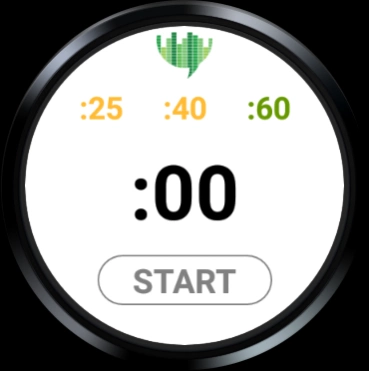
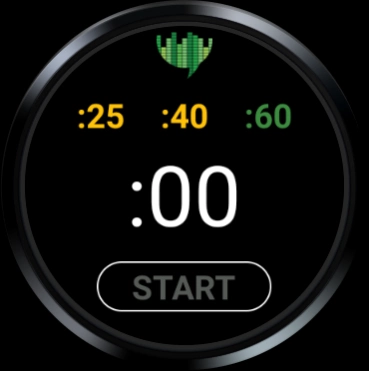
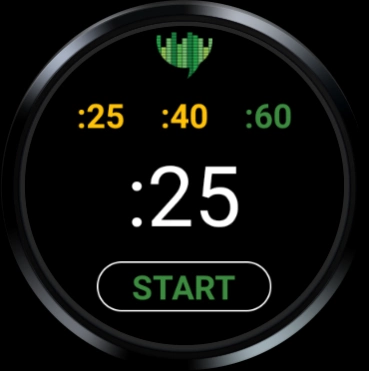
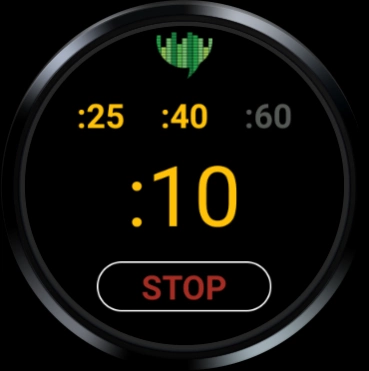
Play clock and timeout timer for high school and college football.
This app allows high school and college referees to take the play clock (25/40 seconds) for football games without the use of an expensive stand-alone device. Simple delay-of-game timer for football referees with an Android Wear OS smartwatch. You can track 60-second timeouts as well.
* :25/:40 Play clock timer modes
-:60 Timeout mode disabled
-Visual alerts at :10 and :05
-Vibration at :10, :05 and :00
-Reset and restart running timers
* :60 Timeout mode
-All modes disabled during countdown
-Visual alerts at :15 and :05
-Vibration at :15 and :00
* 2 Color viewing modes
-White background for daylight
-Black background for night
For detailed information, visit: http://greendigitalmedia.us/apps/
Is compatible with the following devices:
Asus ZenWatch 2
Asus ZenWatch 3
Casio WSD-F20
Casio Smart Outdoor Watch WSD-F10
Casio PRO TREK SMART
Fossil Q Wander / Q Marshal / Q Founder 2.0 / Bradshaw / Dylan
Fossil Fossil Sport
Fossil Wear
Fossil Q Founder
Fossil Gen 5
Guess Wear
Huawe Watch 2
Huawei WATCH
LGE LG Watch Style
LGE LG Watch Urbane
LGE G Watch R
LGE LG Watch Urbane 2nd Edition LTE
LGE LG Watch Sport
Louis Vuitton Tambour Horizon
Mobvoi TicWatch Pro
Mobvoi TicWatch C2
Mobvoi Ticwatch S Smartwatch; Ticwatch E Smartwatch
Mobvoi TicWatch E2/S2
Mobvoi TicWatch Pro 4G
Montblanc SUMMIT
Motorola Moto 360 (2nd Gen)
Movado Boss Touch / TH 24/7 YOU
Movado Movado Connect
New Balance Run IQ
Nixon The Mission
Polar M600
Samsung Gear Live
Sony SmartWatch 3
TAG Heuer Connected
TAG Heuer Connected Modular 41
TAG Heuer Connected Modular 45
Verizon Wireless Wear24
ZTE Quartz
About Football Play Clock
The company that develops Football Play Clock is Green Digital Media. The latest version released by its developer is 1.51.
To install Football Play Clock on your Android device, just click the green Continue To App button above to start the installation process. The app is listed on our website since 2019-09-21 and was downloaded 16 times. We have already checked if the download link is safe, however for your own protection we recommend that you scan the downloaded app with your antivirus. Your antivirus may detect the Football Play Clock as malware as malware if the download link to com.greendigitalmedia.refplayclock is broken.
How to install Football Play Clock on your Android device:
- Click on the Continue To App button on our website. This will redirect you to Google Play.
- Once the Football Play Clock is shown in the Google Play listing of your Android device, you can start its download and installation. Tap on the Install button located below the search bar and to the right of the app icon.
- A pop-up window with the permissions required by Football Play Clock will be shown. Click on Accept to continue the process.
- Football Play Clock will be downloaded onto your device, displaying a progress. Once the download completes, the installation will start and you'll get a notification after the installation is finished.
Program Details
System requirements
Download information
Pricing
Version History
version 1.51
posted on 2019-09-21
Updated countdown text color after live reset.
Added a little space between the logo and the timer mode text buttons.
